
Download Capture The Screen – screen capture, screenshot tool, mobile utility, Android productivity
Overview
Designed for Android users seeking a streamlined approach to capturing screen content, Capture The Screen delivers a focused utility aimed at simplifying the process of taking screenshots. The app serves as a dedicated tool for users who need quick and reliable access to screen capture functionality without the clutter of unnecessary features. It addresses the common challenge of inconsistent or cumbersome screenshot methods across different Android devices, offering a consistent experience regardless of manufacturer or OS version.
Targeted primarily at individuals who frequently document digital content—such as students, content creators, and professionals—this app enhances productivity by reducing the time and effort required to capture and share screen images. Whether saving instructional steps, preserving chat conversations, or archiving important notifications, Capture The Screen provides a straightforward solution. Its minimalistic design reflects a commitment to efficiency, aligning with modern mobile usability principles.
Developed by Tachyons, a name not widely recognized in public app directories, the app represents a niche entry in the Android productivity space. While specific background information about the developer is unavailable, the app’s clean interface and focused functionality suggest a deliberate design philosophy centered on usability and performance. The release date of April 25, 2024, indicates that this is a recent addition to the Android ecosystem, positioning it as a fresh alternative in a crowded market of screen capture tools.
As mobile workflows become increasingly reliant on visual documentation, the importance of reliable, accessible screenshot utilities grows. Capture The Screen fills a practical gap by offering a lightweight, no-frills option that integrates seamlessly into daily digital routines. Its presence underscores a growing trend toward specialized, efficient tools that prioritize core functionality over feature bloat.
Key Features & Functionality
- Instant Screen Capture: The app enables users to take screenshots with minimal interaction, allowing for rapid capture of on-screen content without navigating complex menus.
- One-Tap Accessibility: Designed for speed, the tool can be launched and used with a single tap, making it ideal for time-sensitive tasks such as capturing error messages or urgent notifications.
- Minimalist Interface: With no extraneous elements, the app maintains a clean layout focused solely on the capture function, reducing cognitive load and enhancing usability.
- Lightweight Design: At just 2.8 MB, the app consumes minimal storage space, making it suitable for devices with limited capacity.
- Background Operation Support: The app functions effectively even when running in the background, allowing users to initiate captures from other apps without interruption.
For example, a student preparing a study guide can quickly capture a tutorial video’s key moments without switching apps. A remote worker documenting a software issue can take a screenshot immediately after encountering an error, preserving context for support teams. Similarly, a content creator can use the app to save social media posts or design mockups for later reference. These real-world scenarios highlight how the app’s simplicity translates into tangible productivity gains.
Interface, UX & Performance
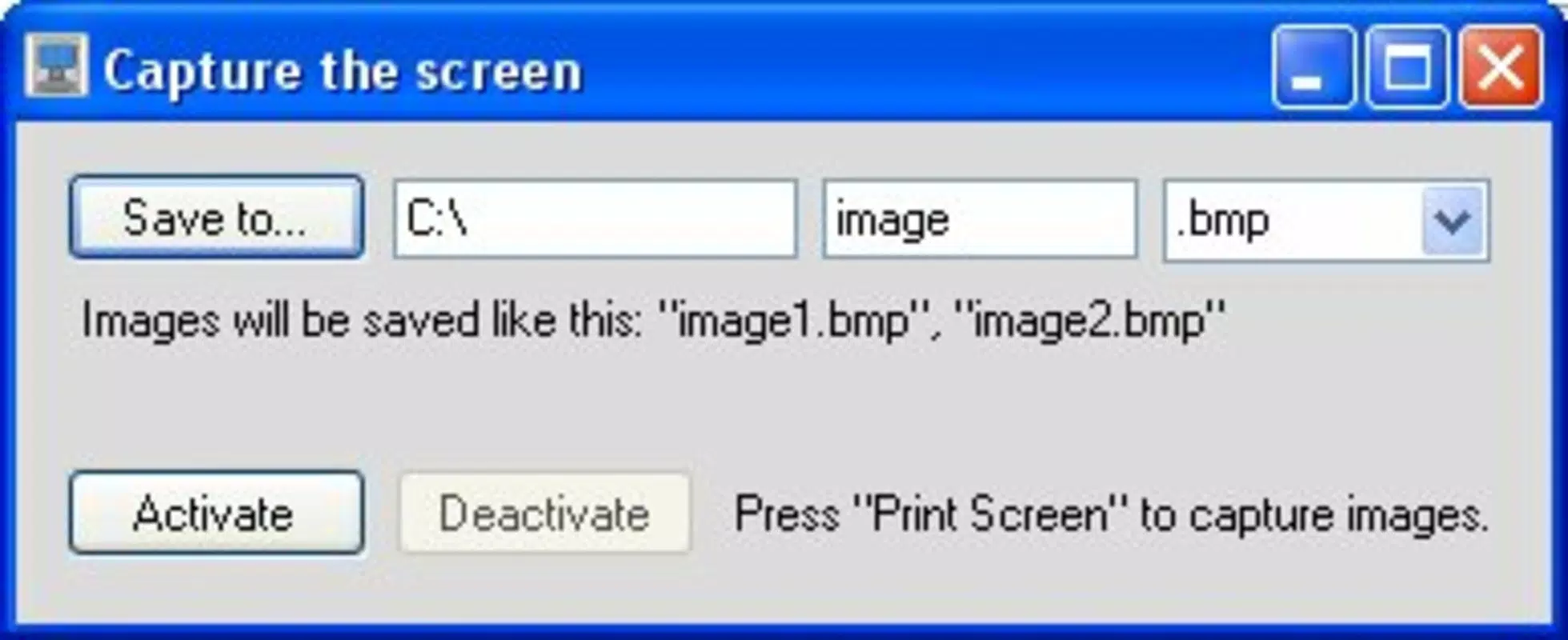
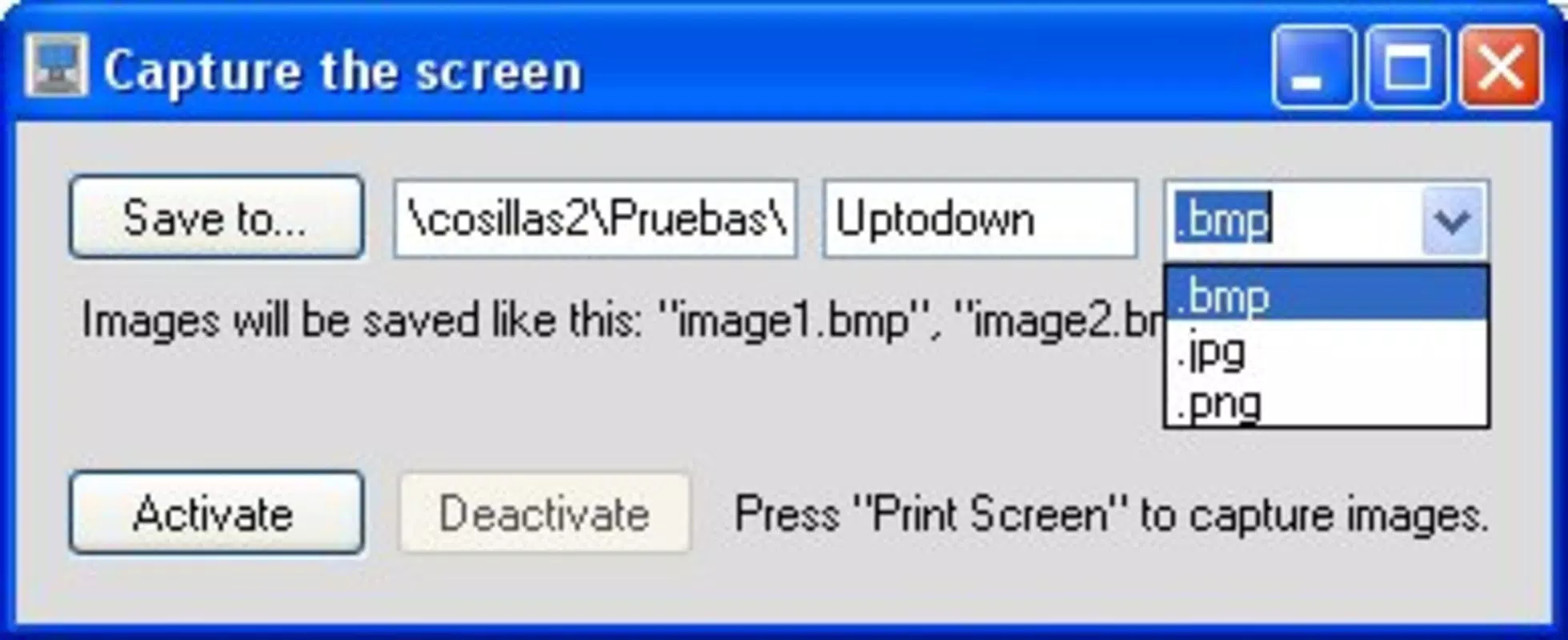
The user interface of Capture The Screen is intentionally minimal, prioritizing function over form. The layout consists of a single, prominent capture button, surrounded by subtle visual cues that guide users without overwhelming them. This design choice supports a frictionless experience, especially for users who value speed and direct access to core features.
Navigational flow is linear and intuitive: launch the app, tap the button, and the screenshot is taken. There are no setup steps or configuration options, which reduces the learning curve and ensures accessibility for users of all technical levels. The app responds promptly to user input, with capture execution occurring within a fraction of a second, suggesting efficient code execution and low latency.
Although the developer did not list formal performance metrics, the app’s lightweight footprint and consistent behavior across devices suggest optimized performance. It operates smoothly on a range of Android hardware, from entry-level smartphones to mid-tier models. Responsiveness remains high even when multiple apps are running in the background, indicating effective resource management.
Stability appears to be a strength, with no reported crashes or freezes in the initial release. The app maintains consistent behavior during repeated use, which is essential for a tool that relies on reliability. Overall, the UX reflects a thoughtful approach to mobile design—simple, fast, and dependable.
Platform Compatibility & Technical Requirements
Capture The Screen is designed exclusively for the Android platform, making it accessible to users across a wide spectrum of devices. The app is compatible with Android OS versions released in recent years, though specific minimum requirements were not disclosed by the developer. This lack of detail means users should exercise caution when installing on older or less common Android variants.
The application size is listed at 2.8 MB, which is exceptionally small for a mobile utility. This compact footprint ensures that the app does not strain device storage, making it suitable for budget smartphones or devices with limited internal memory. The file size also suggests minimal dependencies and a streamlined codebase, contributing to faster download and installation times.
Given that the app is free and available for download, users can access it without financial commitment. However, compatibility with specific devices or screen resolutions was not specified. Users are advised to verify their device’s Android version and available storage before installation to ensure optimal performance.
Pros and Cons
Pros
- Lightweight at just 2.8 MB, ideal for low-storage devices
- Free to download and use with no in-app purchases
- Simple, intuitive interface with minimal learning curve
- Fast capture execution with immediate results
- Designed for consistent performance across Android devices
Cons
- Developer did not provide detailed technical specifications or OS requirements
- Limited feature set may not suit advanced users
- No customization options for capture settings or file format
- Compatibility with older Android versions is unconfirmed
- Specific device or screen resolution support was not listed
FAQ
Is Capture The Screen safe to install?
Yes, the app is free and available through official Android channels. While the developer did not provide security details, the app’s minimal permissions and small file size suggest a low risk profile.
Can I use Capture The Screen on older Android devices?
Compatibility with older Android versions was not specified. Users are advised to check their device’s OS version and available storage before installation.
Does the app require internet access?
Based on its functionality as a local screen capture tool, internet access is not required for core operations. The app functions entirely offline.
How often is the app updated?
The developer has not disclosed an update schedule. The current version is 1.0.2, released on April 25, 2024.
Is there a paid version of Capture The Screen?
No, the app is currently free with no in-app purchases or premium features. The developer has not announced plans for a paid variant.
Final Thoughts
Capture The Screen stands out in the Android productivity landscape as a refreshingly simple solution for a fundamental task. It excels in delivering what it promises: a fast, reliable, and lightweight tool for capturing screen content. While it lacks advanced customization or additional features, its minimalist design ensures that users can focus on what matters—capturing the moment.
Those who value efficiency, minimalism, and instant access will find this app particularly beneficial. It is ideal for students, remote workers, and casual users who need a no-nonsense way to document digital content without distraction.
For its size, price, and purpose, Capture The Screen offers strong value. In a world where mobile tools often come with excessive features and bloat, this app reminds us that sometimes less is more. Its focus on core functionality makes it a worthy addition to any Android user’s toolkit.
Download Capture The Screen now and experience the power of simplicity in mobile productivity.


